Every year, Christmas light installation companies get a short, profitable window to capture demand. Homeowners start searching fast, competition heats up, and only the advertisers who set up their Google Ads correctly end up winning the season.
In this episode, Kyle from Max Conversion breaks down exactly how to build a profitable Christmas light installation Google Ads campaign, from keyword strategy and bidding, to ad group structure, headlines, assets, and negative keywords.
If you’re a seasonal installer or a home-service business looking to reduce cost per lead and maximize your ad ROI, this walkthrough gives you everything you need to launch smart and convert more customers.
Table of Contents
- Why Christmas Light Installers Need a Purpose-Built Google Ads Setup
- Start With a Clean, Controlled Campaign Structure
- Smart Bidding Strategy for Seasonal Niches
- Set Tight Location Targeting
- Use Audience Observation to Improve Long-Term Optimization
- Build Focused, High-Intent Ad Groups
- High-Converting Headlines and Descriptions
- Essential Google Ads Assets (Extensions) to Include
- Landing Page Best Practices
- How to Set the Right CPC (Using Keyword Planner)
- Add Negative Keywords to Avoid Wasted Spend
- Final Takeaways: Your High-Converting Christmas Light Strategy
- Book a Free Strategy Call With Max Conversion
Why Christmas Light Installers Need a Purpose-Built Google Ads Setup
Unlike year-round service niches, Christmas lights are seasonal and competitive. Your campaign must ramp up quickly, avoid wasted spend, and convert leads efficiently.
As Kyle explains, “You really only need to do this one time a year—but if you set it up right, you can make a lot of money in this season.”
The goal is simple: build a campaign that drives high-intent traffic, filters out junk clicks, and gives you full control over your bidding and targeting.
Start With a Clean, Controlled Campaign Structure
1. Create a Campaign Without Goal Guidance
Kyle emphasizes skipping Google’s “guided” setup entirely so you maintain full control over the build.
Choose Search Campaign, no goal guidance, and name the campaign using:
- Your business name
- Service (Christmas Light Installation)
- Location
- Start date
Example:
BrightLite Co - Christmas Light Installation – St. Louis – 11/1/2025
This helps track performance season-to-season.
2. Smart Bidding Strategy for Seasonal Niches
Seasonal businesses rarely start with enough conversion data, so automated bidding can burn cash fast.
Kyle puts it simply:
“Clicks is what you should start with. Conversions are what you should end with.”
Recommended bidding roadmap:
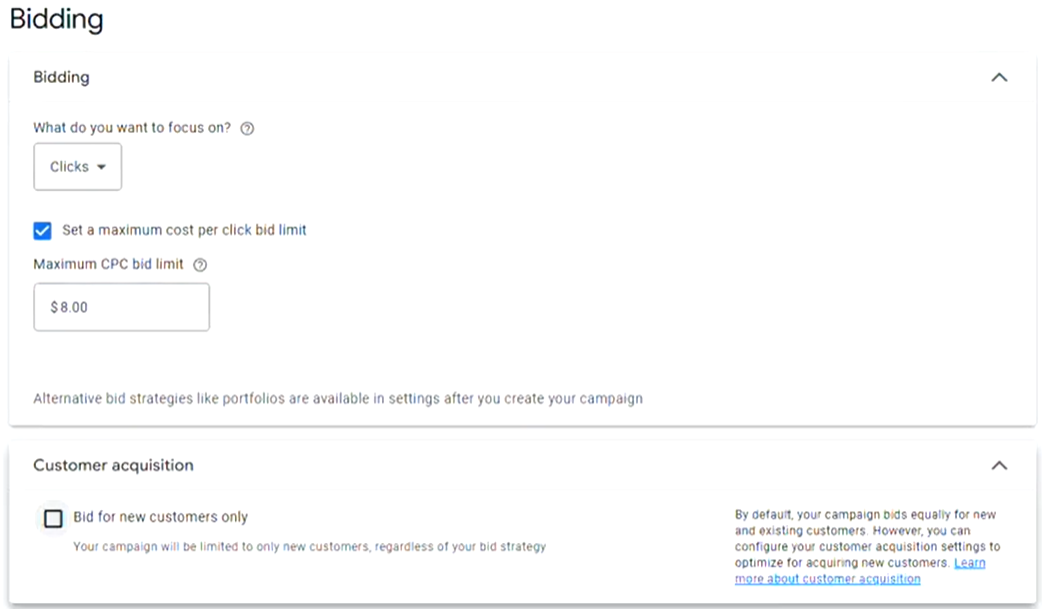
- Start with Maximize Clicks
- Set an initial CPC cap (e.g., $8–$12 depending on market)
- Switch to conversion bidding only after you have enough data
This keeps early-stage cost efficiency under control.
3. Set Tight Location Targeting
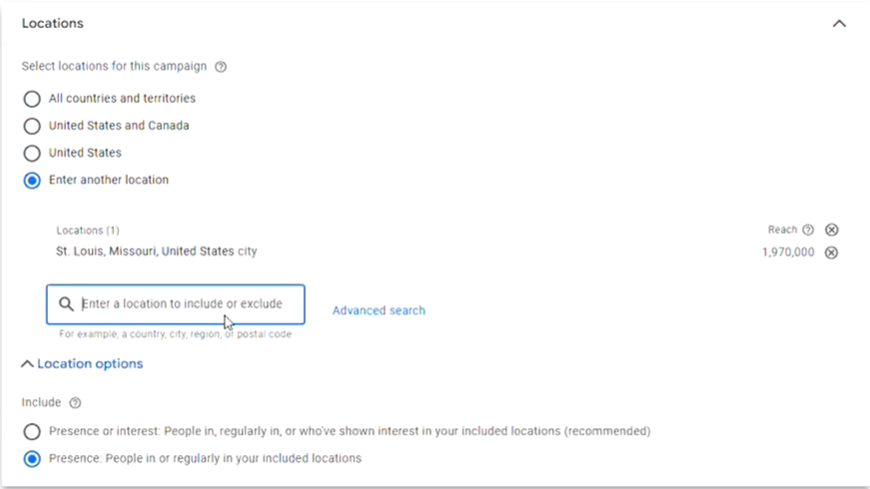
To reduce wasted spend, target only people physically in your service area, not people “interested in” your location.
Recommended:
- People in or regularly in your targeted locations
- Add precise ZIP codes or radius-based targeting
This ensures your budget hits real, local homeowners ready to book installs.
4. Use Audience Observation to Improve Long-Term Optimization
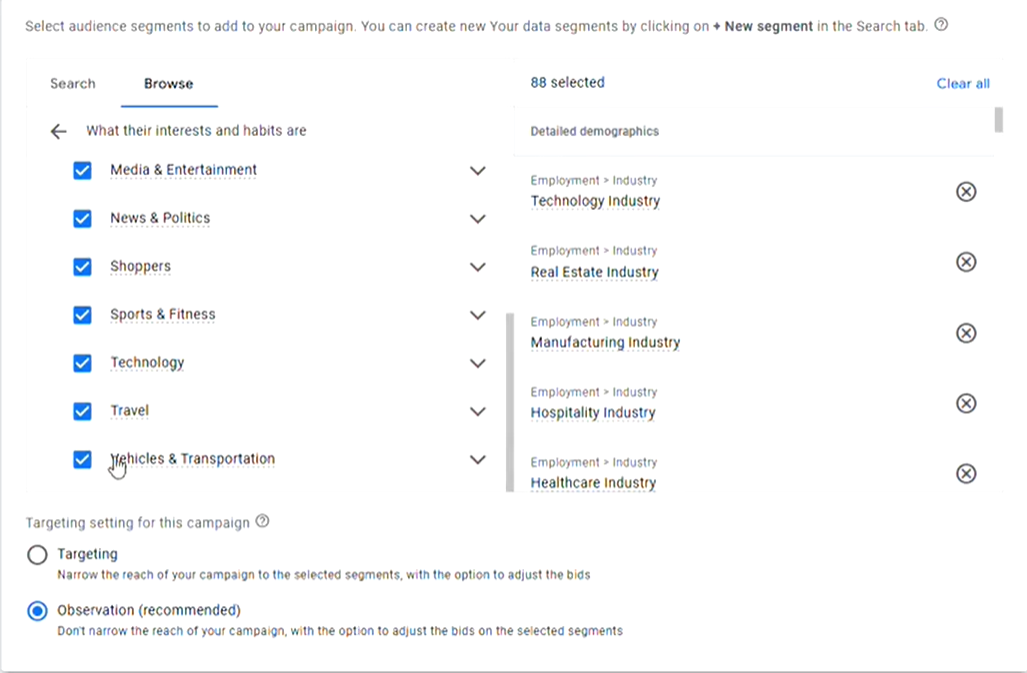
Instead of targeting audiences immediately, Kyle recommends adding them for observation only.
This allows Google to collect behavioral data about who is converting—so next season, you can target your top-performing audiences with precision.
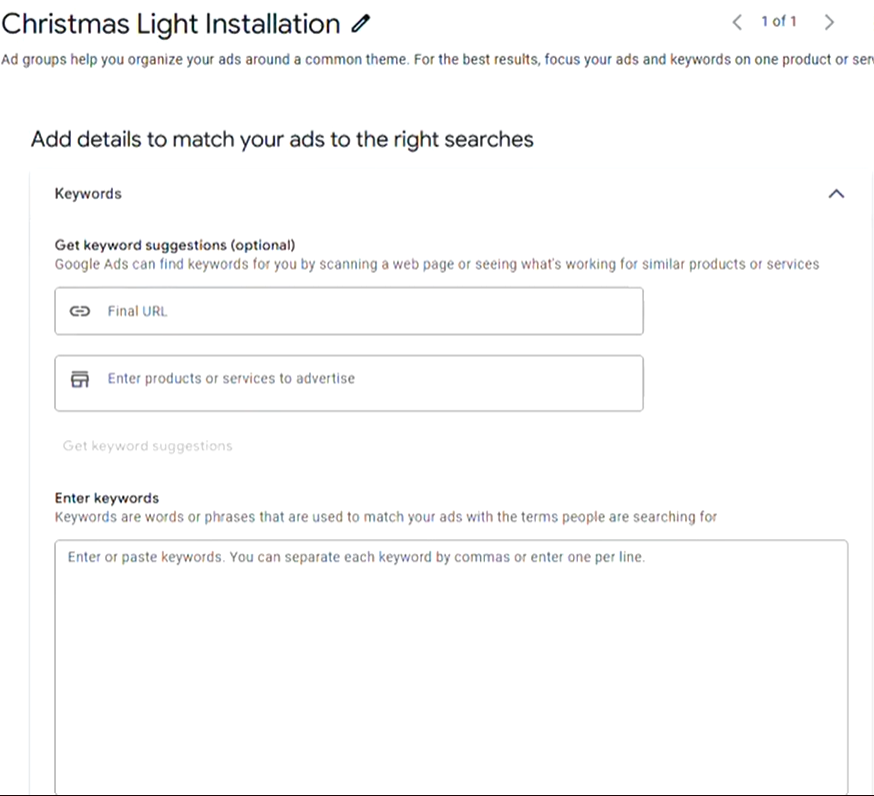
5. Build Focused, High-Intent Ad Groups
The campaign should contain multiple tightly themed ad groups such as:
Main Ad Groups:
- Christmas Light Installation
- Holiday Light Installation
- Commercial Light Installation
- St. Louis (or “[Your City]”) Christmas Light Installers
- Setup & Takedown Services
For each ad group, use exact match keywords to prevent irrelevant traffic and maintain high lead quality.
Sample Exact Match Keywords:
- [Christmas light installation]
- [Christmas light installers near me]
- [Holiday lighting installation]
- [Commercial Christmas lights]
- [Christmas light hanging service]
Exact match ensures your ads show only for the most qualified, ready-to-book searches.
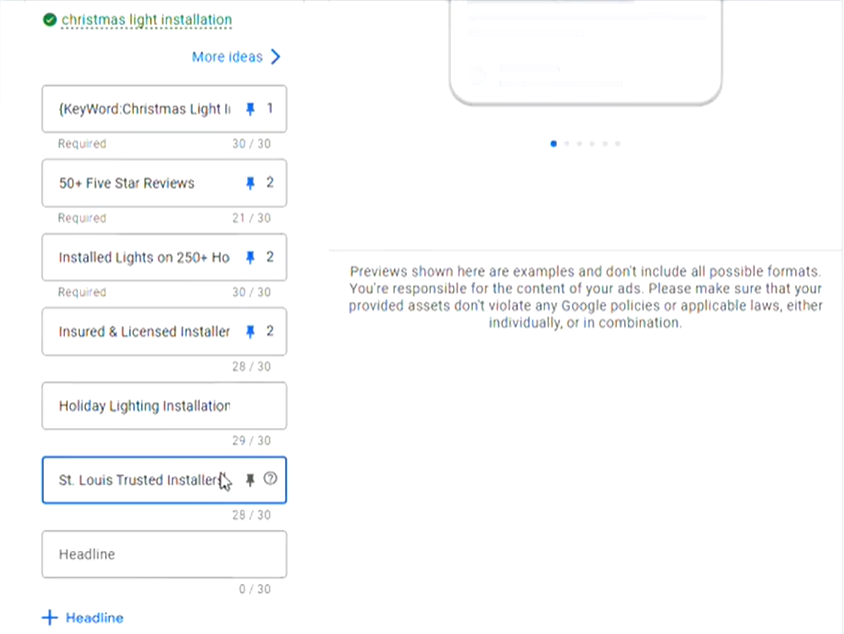
6. Write High-Converting Ad Headlines and Descriptions
Kyle recommends relying on trust-building facts, clear offers, and dynamic keyword relevance.
High-converting headline examples:
- Christmas Light Installers STL
- 50+ Five-Star Reviews
- Get a Free Quote
- Holiday Light Installation Experts
- 100 ft of Lights – Get 10 ft Free
- Accredited & Insured Installers
Use keyword insertion for headline #1 to dynamically match customer search terms and increase click-through rate.
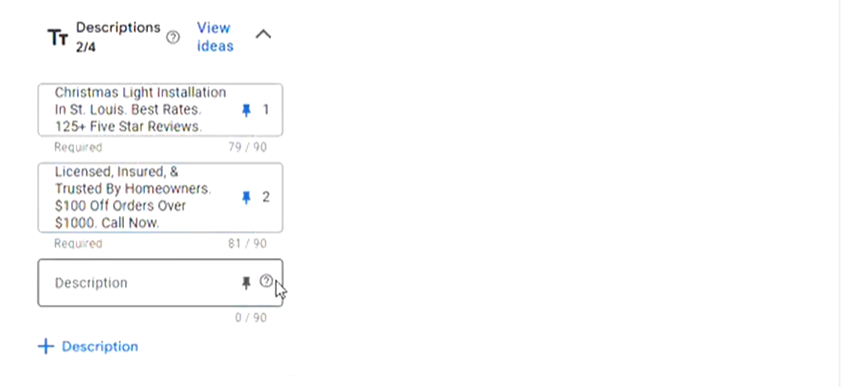
Strong description examples:
- “Professional Christmas light installation in St. Louis. Licensed, insured, and trusted by homeowners.”
- “$100 off orders over $1,000. Book your free quote today.”
Kyle explains:
“The beginning and the end of the description are the most important. That’s what people read.”
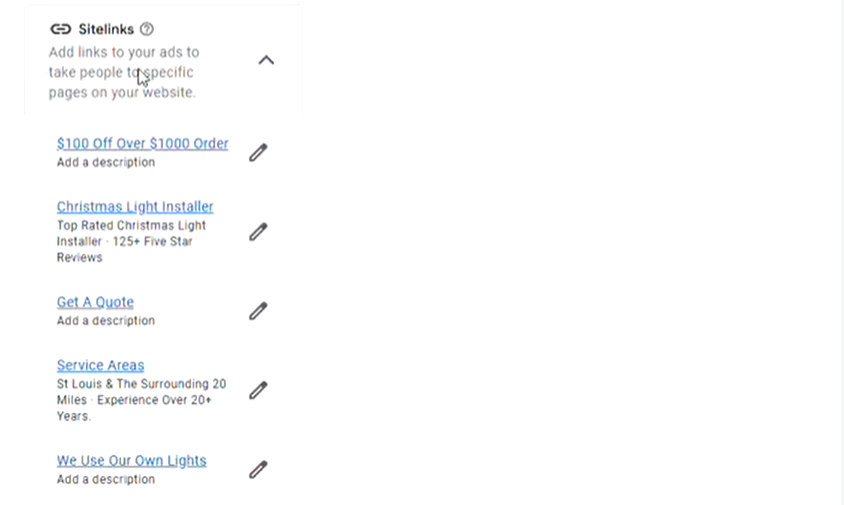
7. Don’t Ignore Ad Assets (They Matter!)
Ad assets significantly improve CTR and conversion volume.
Required assets to include:
Sitelinks
- Christmas Light Installers
- Service Areas
- Get a Free Quote
- $100 Off This Season
(Use “?s1, ?s2, ?s3” trick to reuse landing pages.)
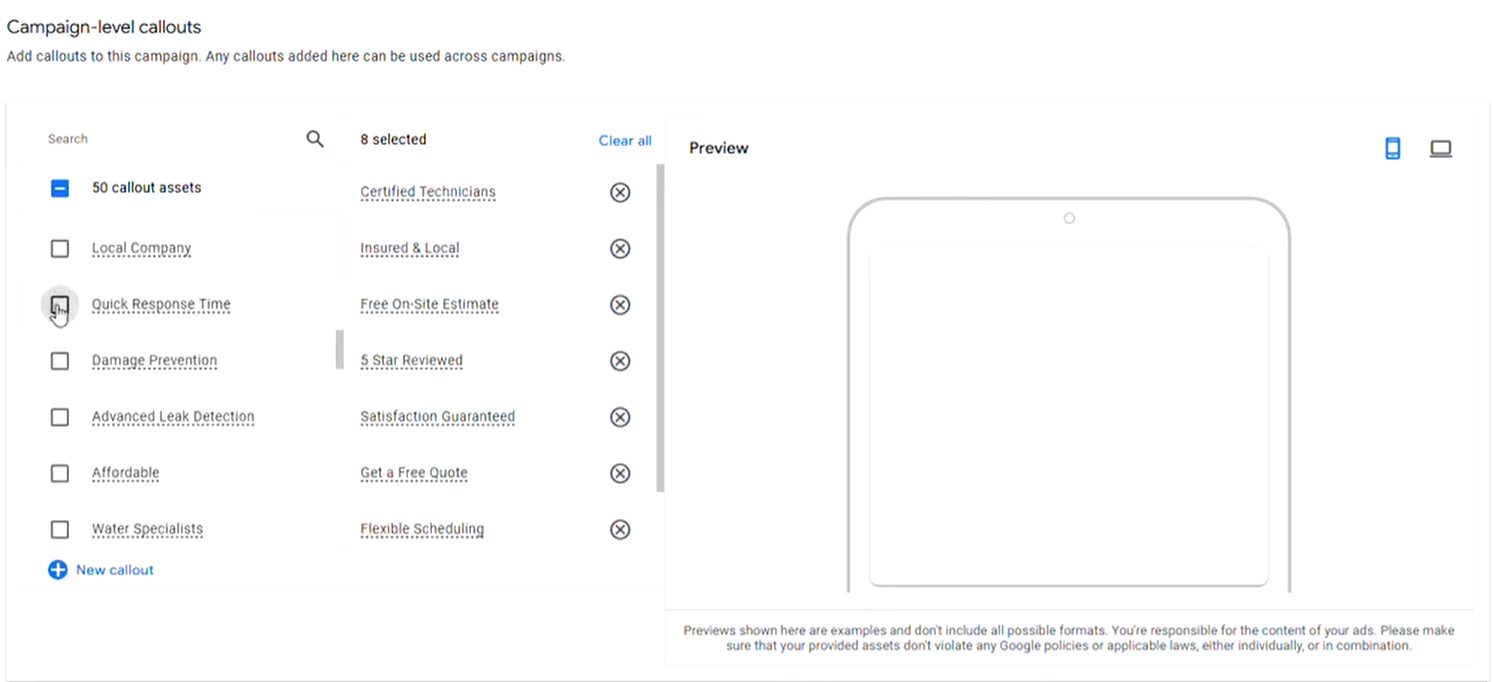
Callouts
- Same-Day Availability
- Free On-Site Estimate
- Insured & Local
- Five-Star Reviewed
- Quick Response Time
Structured Snippets
Use categories like:
- Services: Residential, Commercial, Holiday Lights, Design & Installation
Promotion Extensions
Perfect for seasonal offers:
- Christmas Special – $100 Off Orders Over $1,000
These assets help the ad stand out, and often determine whether a user clicks your ad or a competitor’s.
8. Landing Page Optimization Matters
Never send Christmas light traffic to your homepage.
A dedicated landing page should include:
- Strong headline
- Offer (discount, bonus footage, etc.)
- Before/after photos
- Trust badges
- A fast, simple form
- A click-to-call button
For more guidance, link to an internal resource:
Learn how we build 40–70% conversion-rate pages on our
Google Ads Landing Page Optimization page.
9. Keyword Research: Set the Right CPC
Kyle uses Keyword Planner to check local CPCs and avoid guessing.
In his St. Louis example, he found costs ranged from $3 to $14.
His recommendation:
“You don’t want to be right in the middle, you want to be closer to the higher number if you actually want clicks.”
So if CPCs top out around $14, bidding ~$10 gets you into the competitive range.
10. Add Negative Keywords Immediately
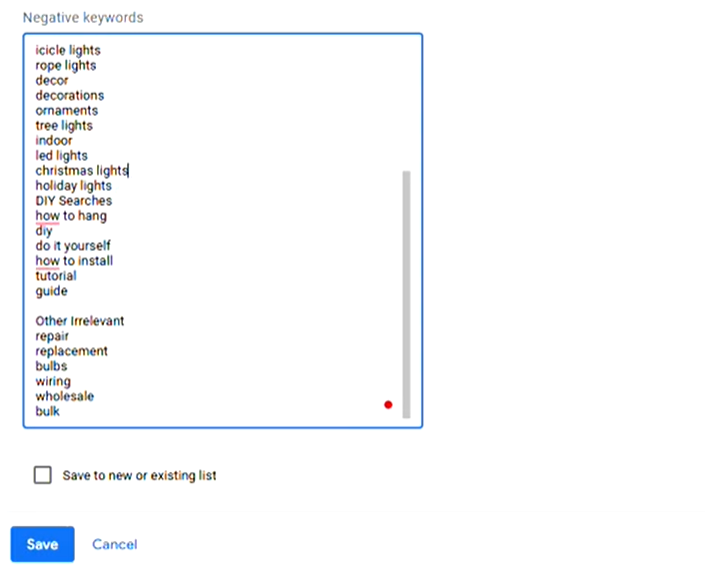
One of the most forgotten steps, and also the most important. Negative keywords prevent wasted spend.
Must-Include Negative Keywords:
- competitor names
- jobs / careers / hiring
- DIY terms: “repair”, “replacement bulbs”, “own lights”
- retail store terms: Home Depot, Lowe’s, Ace, Menards
- “reviews” / “resume” / “cheap”
Max Conversion provides negative keyword lists you can plug in instantly.
This step alone can reduce cost per lead dramatically.
Final Takeaways: How to Build a Profitable Christmas Light Campaign
Keep keywords specific and narrow, e.g., “roofing replacement,” “roofing replacement quote.”